How to make a Choicer Voicer dub pack
A dub pack is a folder of plain files. Once you know what each one does, making one is mostly patience.
PartyDub ·
There is no binary format and no packer. A Choicer Voicer dub pack is a folder: a video, a sound file per line, a small text file per line saying who speaks and when, and a couple of files describing the pack itself. Everything below comes from opening packs published on GameBanana and checking what the game does with them.
What goes in the folder
- —dub_video.ogv — the scene. Ogg Theora, and this one is not negotiable.
- —_backing_track.wav (or .mp3) — the scene's audio, which is what you perform over.
- —01_something.ini — one per line: the caption, the timestamp, and who says it.
- —01_something.wav — the original audio for that line. Its LENGTH is how the game knows how long the line is.
- —_pack_info.ini — the pack's title and author.
- —_author.txt — a bare name. Some published packs ship this instead of _pack_info.ini.
- —_icon.png — the pack's thumbnail.
- —1.png, 2.png … — optional stills, one per line, referenced from the .ini.
A line file, in full
This is a complete .ini for one line. The section header is literally [data], and there is a blank line after it.
[data]

caption="I said someone has to get off her fat ass and work around here."
image="1.png"
dub_timestamps=[0.55]
dub_characters=["Clark"]- —caption — the line as text. Quotes are not escaped by this format, so avoid a straight double quote inside it.
- —image — optional, names a file in the same folder.
- —dub_timestamps — an array, in SECONDS, of where the line starts. Real packs write 0.55 and 39.011, not 0.550.
- —dub_characters — an array of speaker names, parallel to the timestamps.
The .ini records only where a line STARTS. Its end comes from the length of the matching audio file, which is why every line needs its own .wav or .mp3 even though the game never plays them during a dub.
The numeric prefix matters
Files are ordered by their name, so pad the number: 01_, 02_ … 18_. Left unpadded, 10 sorts before 2 and your pack plays its lines in the wrong order.
The video
Convert your clip to Ogg Theora and name it dub_video.ogv. Anything else and the pack will still appear under Standard but will be missing from Dub and Freestyle Dub entirely.
ffmpeg -i scene.mp4 -c:v libtheora -q:v 7 -c:a libvorbis -q:a 4 dub_video.ogvWhere to put it
Drop the folder into the game's voice packs directory and it appears next launch. On Linux that is under ~/.local/share/ — the exact path varies by build, so find the folder that already contains the tutorial pack and put yours beside it.
Doing it without the typing
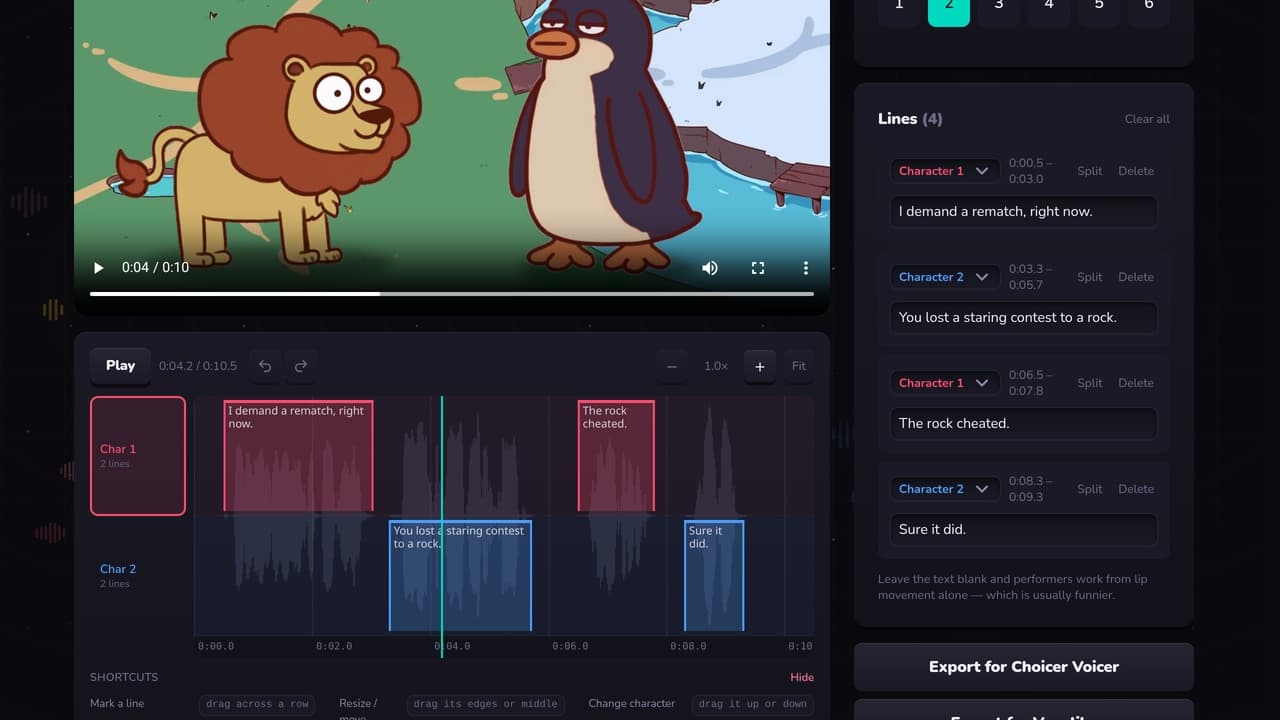
The slow part is not the format, it is producing an accurate timestamp for every line by scrubbing a video in another program. A timeline editor does that part for you — see the three ways to make a pack.
Make a pack without the typing
A free Choicer Voicer and Voxalike pack editor in your browser. Mark who speaks when against the waveform, then export for either game.
Open the editor