Three ways to make a Choicer Voicer pack
The format is the same whichever route you take. What differs is how much of it you type yourself.
PartyDub ·
All three produce the same thing: a folder of files the game reads. Nothing here is a shortcut around the format — they differ in how much of the tedious part you do by hand.
1. By hand
The original method, and the one the community tutorials document. Roughly:
- Pick a clip and convert it to .OGV, then rename it to dub_video.
- Write _pack_info.ini with the pack title, author and character names. On Windows you need file extensions visible so you can turn a .txt into a .ini.
- Screenshot the characters and save them as PNGs.
- Separate the vocals from the background and save each line's audio.
- Write a text file per line with the caption, its image, and an accurate timestamp.
- Copy the folder into the game's voice packs directory and test it in Solo Dub Mode.
It works, it needs nothing installed beyond ffmpeg and a text editor, and it is slow. The timestamps are the part that hurts: every line means scrubbing a video somewhere else, reading a number off it, and typing it into a file. A twenty-line scene is a couple of hours, and a mistimed line is invisible until you play it.
2. Dub Pack Editor (GameBanana)
There is a dedicated modding tool for The Choicer Voicer published on GameBanana as Dub Pack Editor. If you already work in the game's modding ecosystem it is the obvious first stop, and it is linked from the game's own tools listing.
3. PartyDub, in a browser
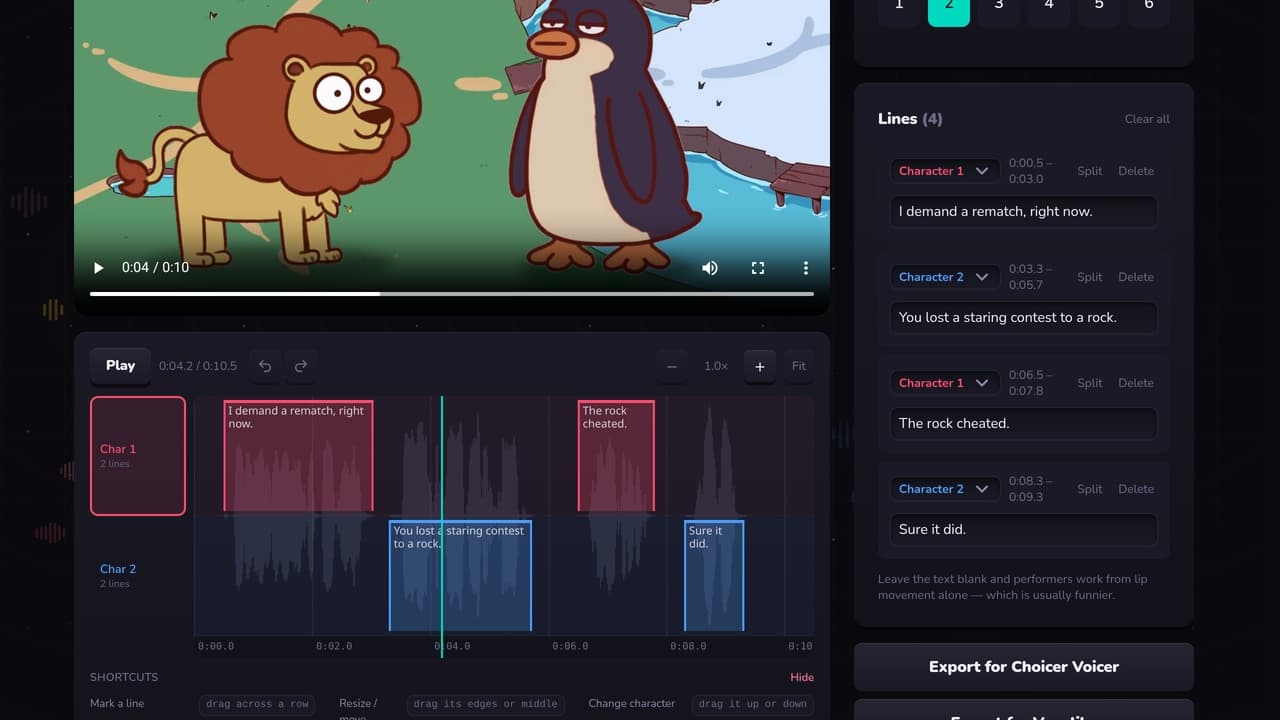
Ours, so read this with that in mind. It is a timeline: you load the clip, mark who speaks when by dragging across a row or holding a number key while the scene plays, and export. The timestamps come from where you put the marks, so the part that hurts in the manual method is the part you stop doing.
- —Runs in the browser — nothing to install, and it works on a phone.
- —Converts your video to Ogg Theora on export, so you do not need ffmpeg.
- —Opens existing packs — drop a .zip in, or point it at your packs folder, and edit lines somebody else timed.
- —Exports for Voxalike too, which takes the other video format.
- —Free.
The honest limitation: your clip stays on your device except for the one step that converts the video to Theora, which needs a real encoder. That is stated on the button. If you would rather nothing left your machine at all, convert with ffmpeg yourself and the editor will use your file as-is.
Which to pick
If you are making one pack and enjoy the craft, by hand is fine and you will understand the format afterwards. If you are making several, or retiming somebody else's, use a timeline — the timestamps are the whole cost of this hobby and they are the thing a timeline removes.
Make a pack without the typing
A free Choicer Voicer and Voxalike pack editor in your browser. Mark who speaks when against the waveform, then export for either game.
Open the editor